Try our new AI Activity Summarizer

Default Kit
  • Product
  • Pricing
  • Resources
    • Support
    • Wiki
    • Blog
  • Free Trial
  • Log In
  • Book Demo
  • Product
  • Pricing
  • Resources
    • Support
    • Wiki
    • Blog
  • Free Trial
  • Log In
  • Book Demo

Category - Frequently Asked Questions

  • Main
  • Frequently Asked Questions

Why didn’t my Email message match into Salesforce?

  • Date: October 7, 2014
  • By: Trevor Holewinski
  • Categories: Frequently Asked Questions
Read More
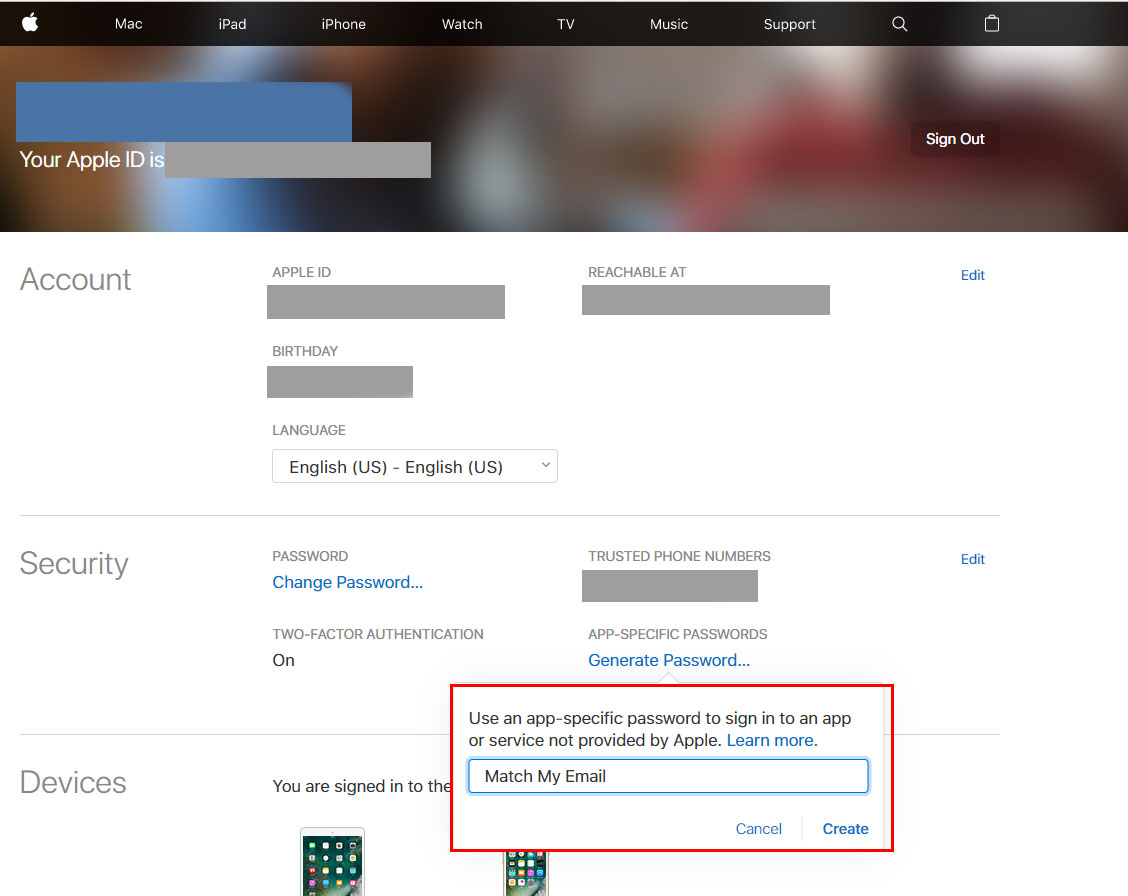
Screenshot of an Apple ID management page, displaying account details, security settings, and devices associated with the account. A highlighted section shows instructions and options for creating an app-specific password with an example option to "Match My Email.

Apple mail customers and App-Specific Passwords

  • Date: June 20, 2017
  • By: Trevor Holewinski
  • Categories: Frequently Asked Questions, Passwords, Credentials & Logging In
Read More
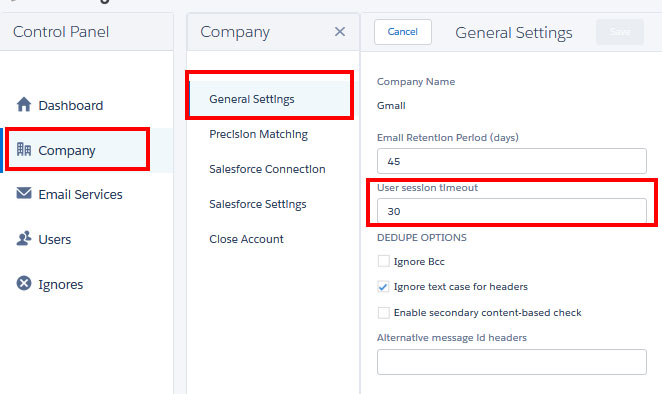
Screenshot of a software interface. The "Company" section is selected in the left menu, showing "General Settings." In the main content area, fields for "Email Retention Period (days)" set to 45 and "User session timeout" set to 30 are highlighted in red.

When will my Match My Email session time out?

  • Date: March 13, 2014
  • By: Trevor Holewinski
  • Categories: Frequently Asked Questions, Passwords, Credentials & Logging In
Read More
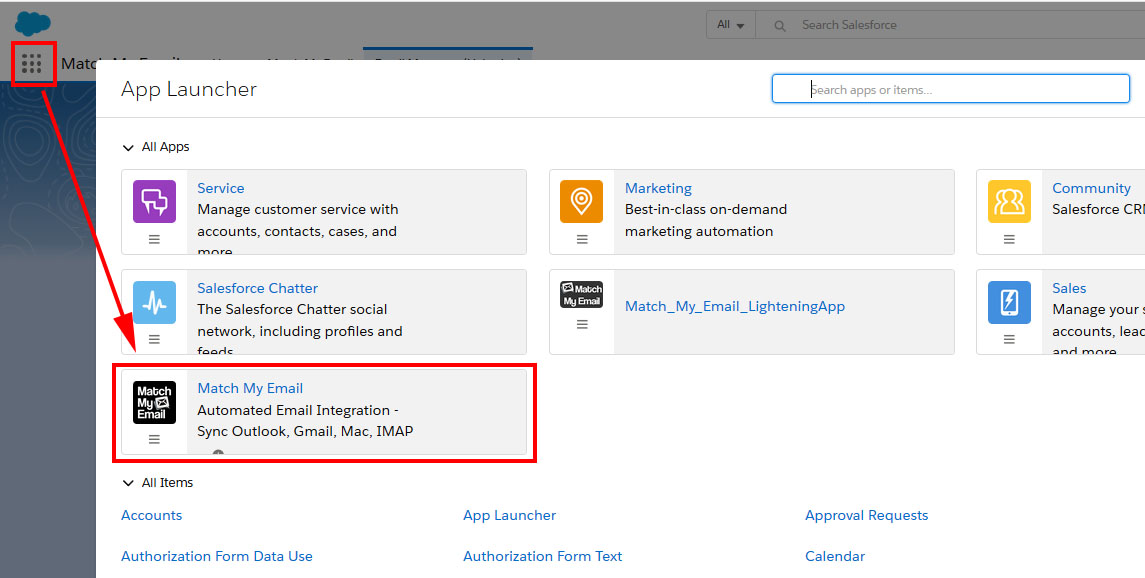
Screenshot of a Salesforce dashboard showing the App Launcher panel. A red arrow points from the App Launcher icon to the "Match My Email" app, which is highlighted in the list of apps. The app's description mentions automated email integration for various email services.

What is the difference between the options “Match My Email”, “Match My Email Setup”, and “Email Messages(Lightning)”?

  • Date: July 1, 2015
  • By: Trevor Holewinski
  • Categories: Frequently Asked Questions
Read More
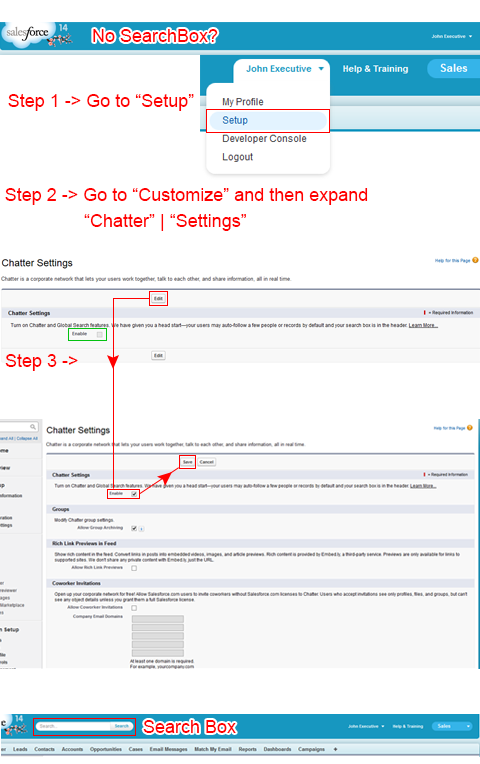
Tutorial image showing steps to enable the search box in Salesforce. Step 1: Click on the user's name and select 'Setup'. Step 2: Go to 'Customize' > 'Chatter' > 'Settings'. Step 3: Enable 'Allow Search'. The search box appears highlighted at the bottom.

How to Search Emails in Match My Email?

  • Date: June 3, 2014
  • By: Trevor Holewinski
  • Categories: Frequently Asked Questions
Read More
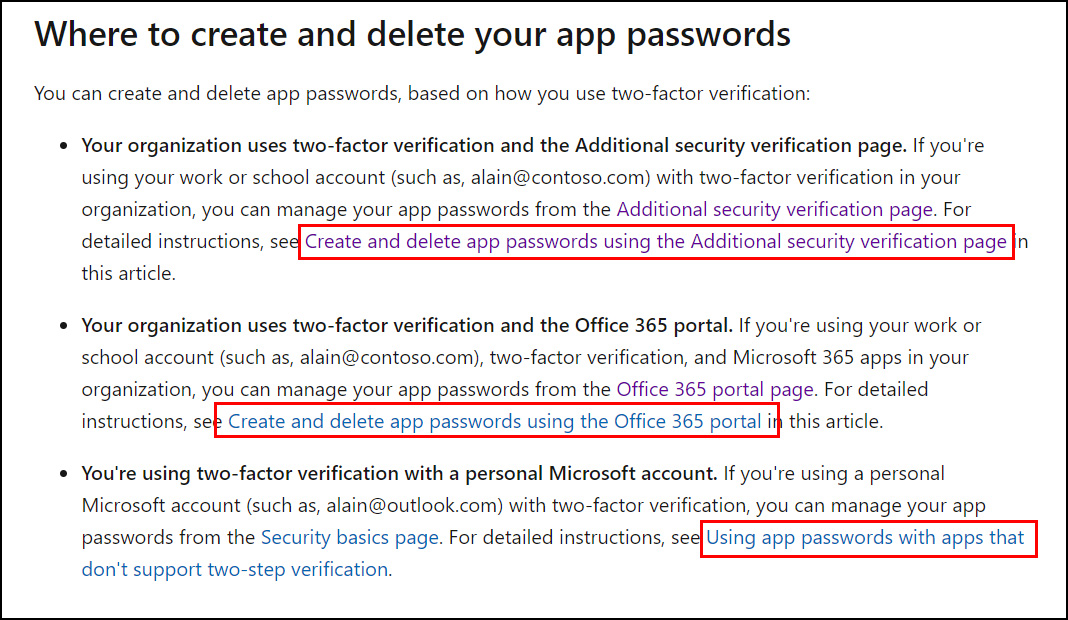
Screenshot of a webpage titled "Where to create and delete your app passwords" with three highlighted sections. One highlights "Create and delete app passwords using the Additional security verification page," another highlights "using the Office 365 portal," and another highlights "using app passwords with apps.

Microsoft 365 Customers and App-Specific Passwords

  • Date: July 7, 2017
  • By: Trevor Holewinski
  • Categories: Frequently Asked Questions, Passwords, Credentials & Logging In
Read More
Posts pagination

Page 1 Page 2 … Page 5 Next

Try Match My Email

The seamless email integration solution for Salesforce.
No credit card required.

Start 14-Day Free Trial
Home

Product

  • Email Integration
  • Calendar Integration
  • Data Migration
  • Pricing
  • Demo
  • Free Trial
  • Email Integration
  • Calendar Integration
  • Data Migration
  • Pricing
  • Demo
  • Free Trial

Resources

  • Login
  • Support
  • Wiki
  • Sitemap
  • Login
  • Support
  • Wiki
  • Sitemap

Company

  • About
  • Blog
  • Contact Sales
  • Legal
  • Security
  • Privacy Policy
  • About
  • Blog
  • Contact Sales
  • Legal
  • Security
  • Privacy Policy

Connect

Facebook-f X-twitter Linkedin-in Youtube

© 2026 All Rights Reserved. RAE Internet Inc. Salesforce is trademark of Salesforce.com, Inc. and are used here with permission.