Try our new AI Activity Summarizer

Default Kit
  • Product
  • Pricing
  • Resources
    • Support
    • Wiki
    • Blog
  • Free Trial
  • Log In
  • Book Demo
  • Product
  • Pricing
  • Resources
    • Support
    • Wiki
    • Blog
  • Free Trial
  • Log In
  • Book Demo

Category - Frequently Asked Questions

  • Main
  • Frequently Asked Questions
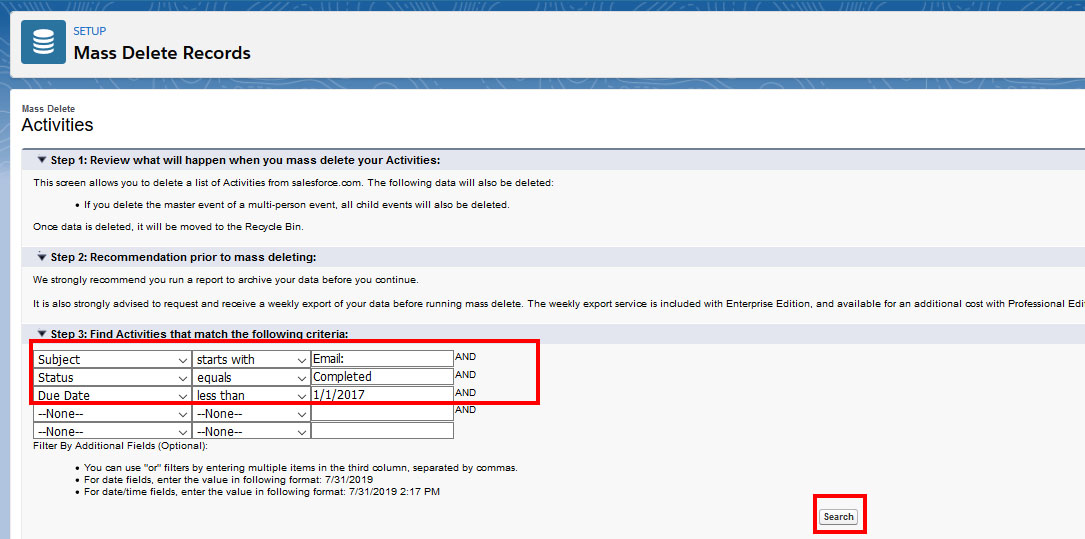
A screenshot of the "Mass Delete Records" interface showing steps for deleting activities. Filters include "Subject starts with A", "Status equals Completed", and "Due Date less than 1/1/2017". A "Search" button is highlighted in red.

How do I remove old matched emails from Activity History?

  • Date: November 17, 2015
  • By: Trevor Holewinski
  • Categories: Frequently Asked Questions
Read More
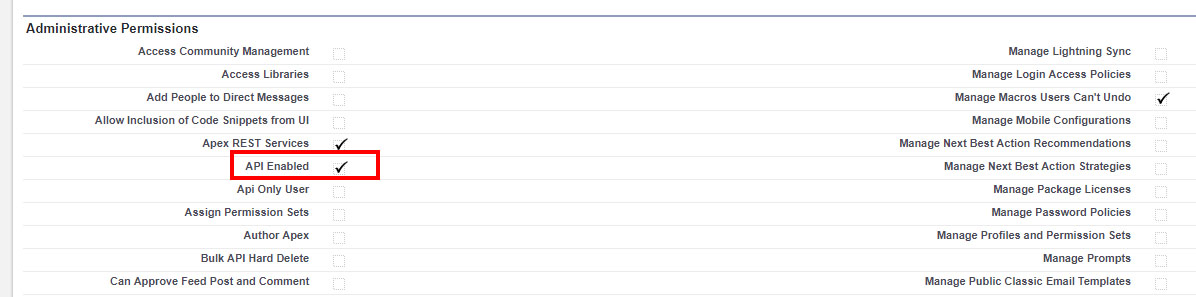
A screenshot of a web interface showing a list of administrative permissions with various options such as "Manage Workflows" and "Manage Metadata". The "API Enabled" option is highlighted with a red box and checked.

How do I enable API access in Salesforce?

  • Date: April 22, 2014
  • By: Trevor Holewinski
  • Categories: Frequently Asked Questions
Read More

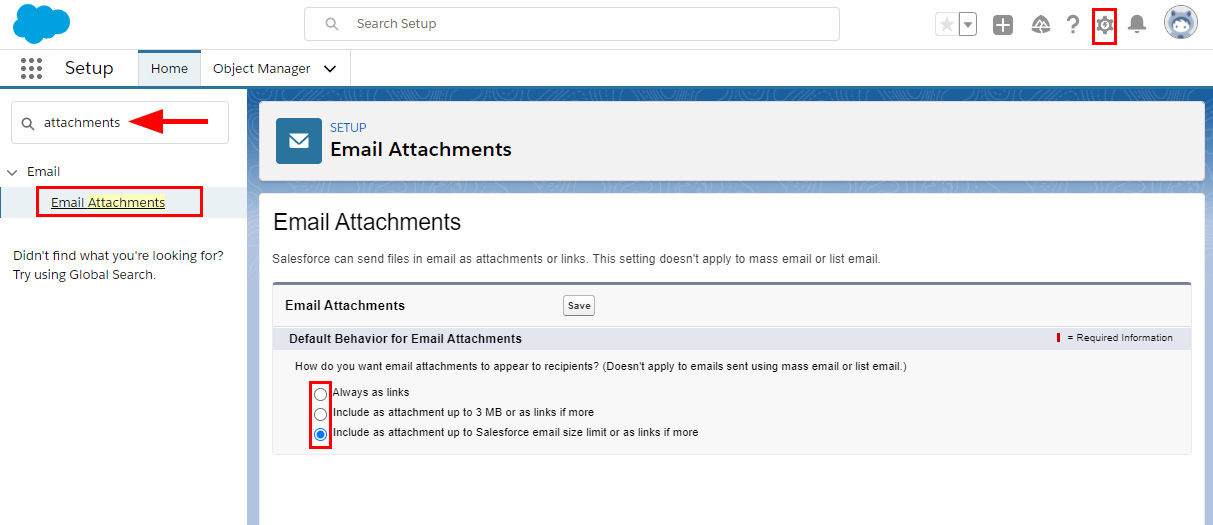
Salesforce Setup page showing the "Email Attachments" settings. The option to search for "attachments" is highlighted, leading to the "Email Attachments" section. Settings include "Always as links," "Include as attachment up to 3 MB," and "Include as attachment up to 2 MB.

Adjusting Email Attachments for Email Sent From Salesforce

  • Date: March 8, 2021
  • By: Trevor Holewinski
  • Categories: Frequently Asked Questions
Read More
A screenshot of a permissions settings interface. It displays various custom object permissions for categories like Email Messages, Email Message Related Objects, and Marketing Rules, with options for Basic Access (Read, Create, Edit, Delete, View All) and Data Administration (Modify All). Some fields are selected with checkmarks, mainly for Email Messages, Email Message Related Objects, and Marketing Rules. The selected options are highlighted with red boxes.

How to Modify Salesforce Permissions for Match My Email Custom Object

  • Date: March 22, 2017
  • By: Trevor Holewinski
  • Categories: Frequently Asked Questions, Product Details
Read More

Why am I locked out of signing in to Match My Email? (Accounts Prior to June 2019)

  • Date: March 13, 2014
  • By: Trevor Holewinski
  • Categories: Frequently Asked Questions, Passwords, Credentials & Logging In
Read More
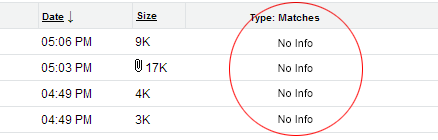
A table displays columns labeled Date, Size, and Type: Matches. Rows show timestamps and file sizes, with paperclip icons indicating attachments. The "Type: Matches" column shows "No Info" for all entries. A red circle highlights the "Type: Matches" column.

What does “No Info” in Matches column mean? (Accounts Prior to June 2019)

  • Date: March 13, 2014
  • By: Trevor Holewinski
  • Categories: Frequently Asked Questions
Read More
Posts pagination

Previous Page 1 Page 2 Page 3 … Page 5 Next

Try Match My Email

The seamless email integration solution for Salesforce.
No credit card required.

Start 14-Day Free Trial
Home

Product

  • Email Integration
  • Calendar Integration
  • Data Migration
  • Pricing
  • Demo
  • Free Trial
  • Email Integration
  • Calendar Integration
  • Data Migration
  • Pricing
  • Demo
  • Free Trial

Resources

  • Login
  • Support
  • Wiki
  • Sitemap
  • Login
  • Support
  • Wiki
  • Sitemap

Company

  • About
  • Blog
  • Contact Sales
  • Legal
  • Security
  • Privacy Policy
  • About
  • Blog
  • Contact Sales
  • Legal
  • Security
  • Privacy Policy

Connect

Facebook-f X-twitter Linkedin-in Youtube

© 2026 All Rights Reserved. RAE Internet Inc. Salesforce is trademark of Salesforce.com, Inc. and are used here with permission.