
“INVALID_FIELD_FOR_INSERT_UPDATE: Task: bad field names on insert/update call”
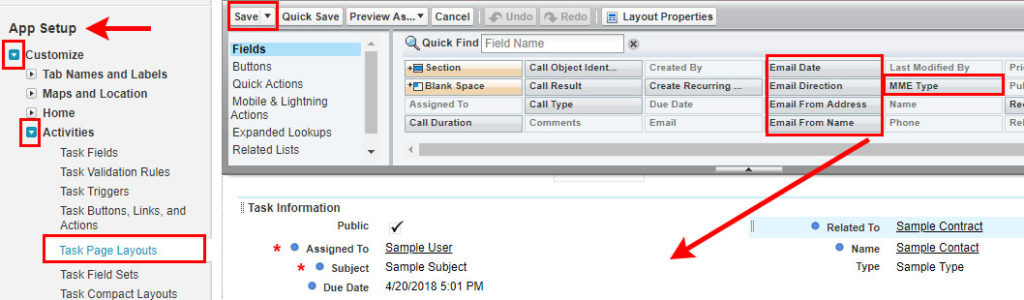
helpH2 If you see an error message in full that reads “[“create”,”INVALID_FIELD_FOR_INSERT_UPDATE: Task: bad field names on insert/update call: MME__EmailFromAddress__c, MME__EmailDirection__c, MME__EmailDate__c, MME__EmailFromName_c, MME__Type__c”]” and you are seeing Reprocess in the Email Cloud, it is because a User does not have permission for certain custom fields. (It also occurs if you are using Group edition […]
Clarify Identity of Microsoft 365 Email Service
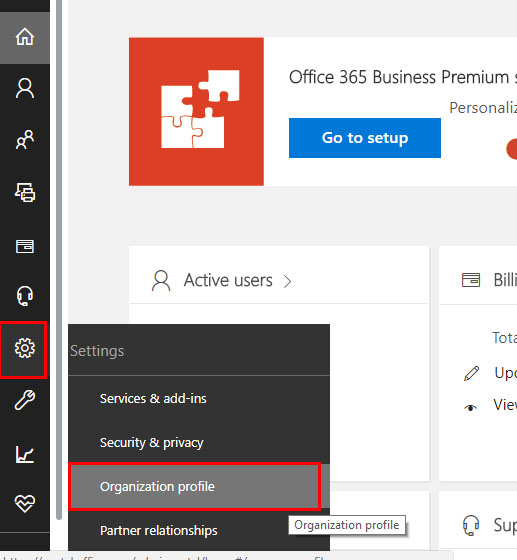
helpH2 Accounts connecting with an Microsoft 365 Global Admin role can see the service information in the Match My Email account settings. In the Email Cloud view, top right click the Cog and click option for Control Panel. On left sidebar, click on Email Services. The service will be identified. The name showing was obtained […]
Tips on Using a Search Folder in Outlook
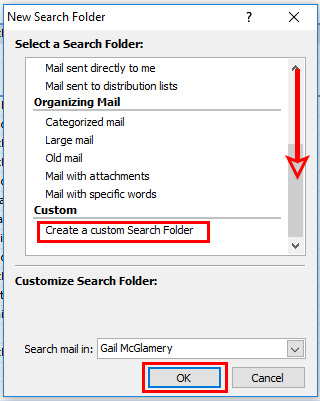
helpH2 For customers that use Outlook, especially those with lots of folders and subfolders, using a Microsoft Search Folder for historic email importing can be helpful. A Search Folder will aggregate mail based on criteria and folder selection into one new folder that makes historic email importing easier. Microsoft provides a helpful page on how […]
Microsoft 365 Customers and App-Specific Passwords
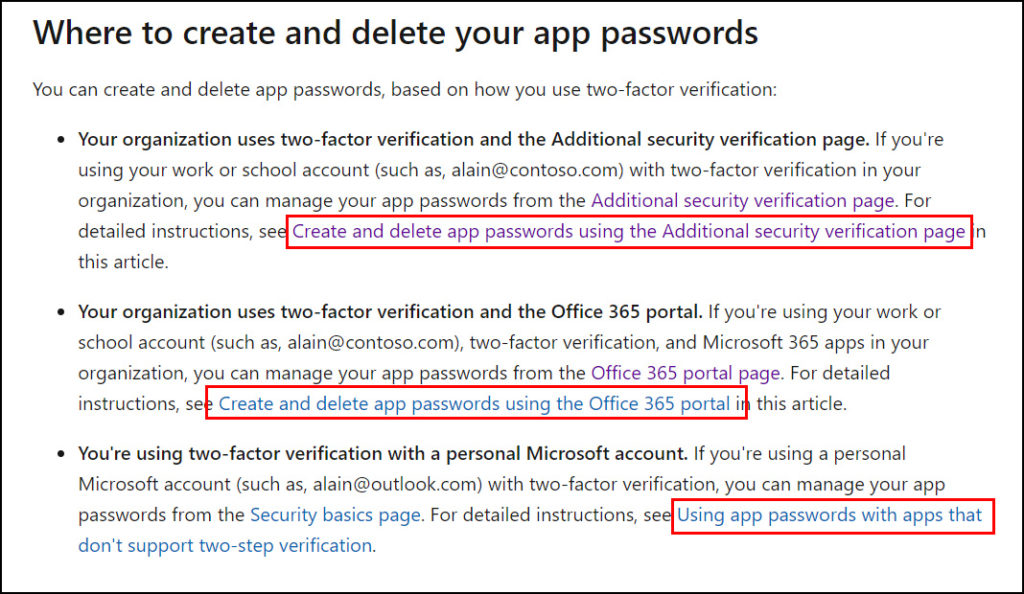
helpH2 **This post applies to Match My Email accounts connecting to Microsoft 365 via IMAP. Accounts in which an Email Service connection has been established to Microsoft 365 by a Global Administrator do not rely on passwords for connection.** Changes to some Microsoft 365 security settings may require users to create app-specific passwords for […]
Apple mail customers and App-Specific Passwords
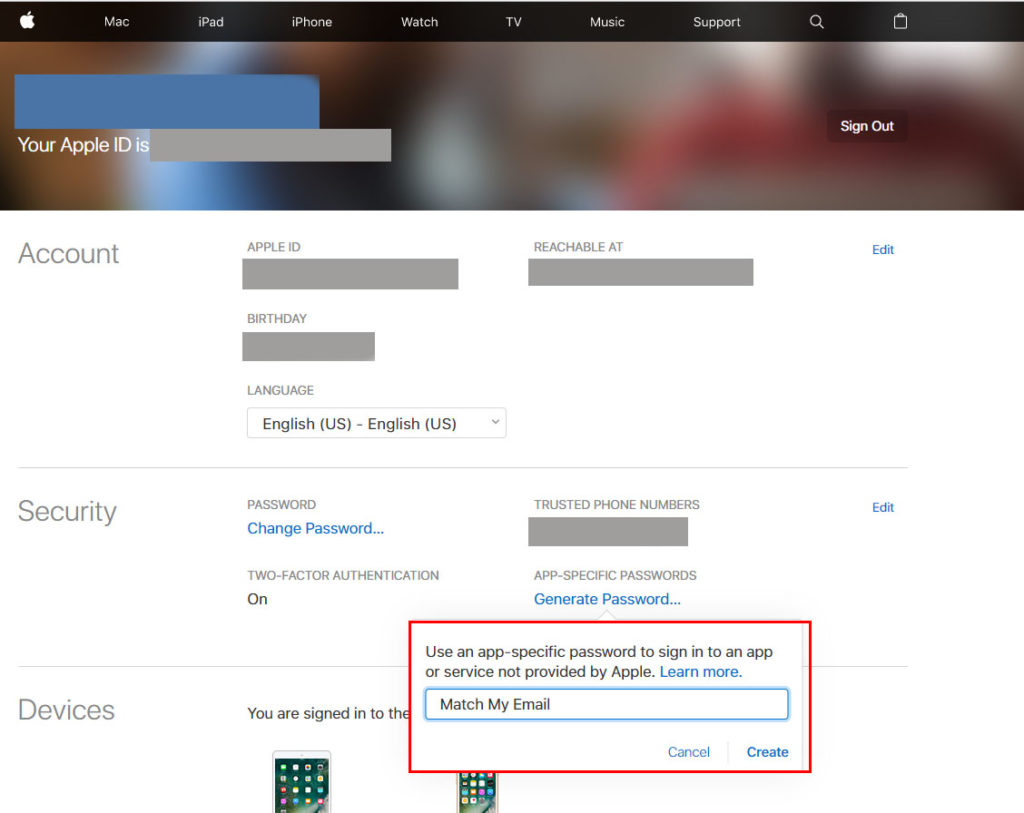
helpH2 Apple requires all third-party app connections to use app-specific passwords for added security. This is a great security feature for Apple users, but does mean those with Match My Email imports may have to follow a few steps to make sure our app can connect. This change applies for @me.com and @icloud.com email addresses. […]
Using Match My Email for Community Users
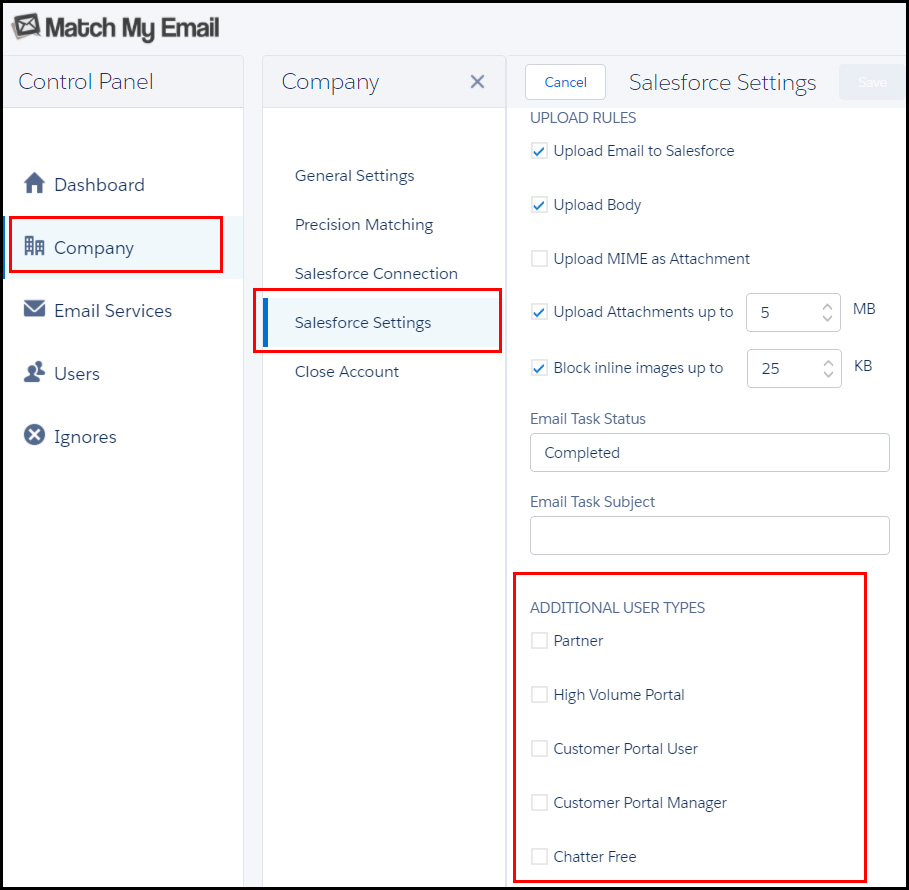
helpH2 Match My Email can be configured so that Community users who do not have a SFDC license type that is ‘API-enabled under the ISVForce Program’ can still integrate emails to Salesforce automatically. The method for adding Community Users is dependent on the age of your Match My Email account, considerations regarding email visibility to […]