
Manually match an email from Contact record to another Salesforce record (MME Custom object only)
helpH2 Perhaps an email message matched to a particular Contact in Salesforce contains pricing or project information that needs to be connected to another record in Salesforce for a future project. When an email is matched, it is only going to be automatically matched to a record when the email address is present in the […]
Match My Email Visualforce Component not visible in Salesforce Classic on Safari/Chrome
helpH2 The Email Messages component used by Match My Email is a Visualforce/APEX component in Classic. If you are using a Safari or Chrome browser and the component is not visible on record pages in Salesforce Classic, please note the below steps: For Chrome, please visit our post about setting changes. For Safari: please […]
Why do I get “HTTP error while getting Salesforce Features: 404 Not Found” During Setup?
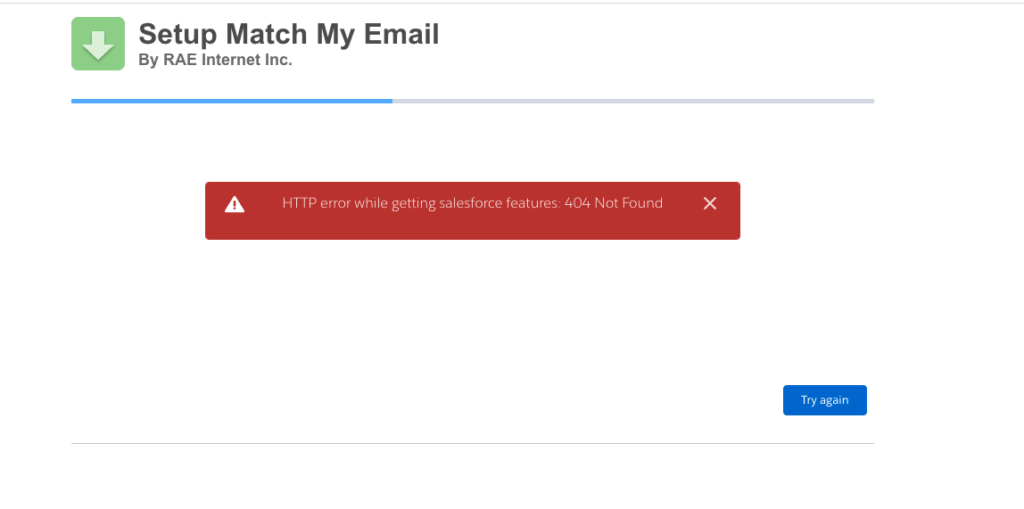
helpH2 If you have used the link https://www.matchmyemail.com/install to sign up for a Match My Email account BEFORE you have installed the managed package into your Salesforce organization, you will get this error. If that’s the case, please install first the MatchMyEmail package via “Create Account” button available on https://www.matchmyemail.com/ page.
Critical Microsoft Outlook Setting for Sent Email and Match My Email
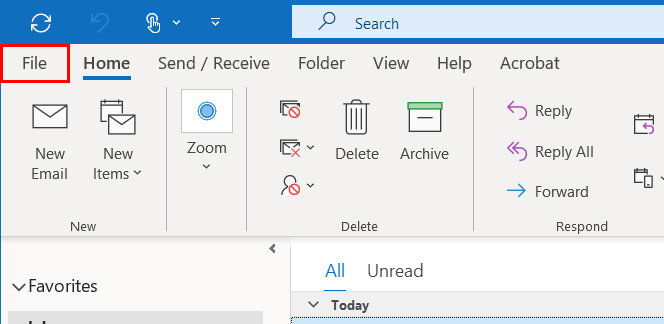
helpH2 There is an optional setting in Microsoft Outlook that will allow you to save replied messages to an email in a subfolder, into that subfolder. When this is enabled, the message is never placed in the Sent Items folder but instead only exists in the subfolder where the original email is stored. In most cases, Users […]
Adjusting Email Attachments for Email Sent From Salesforce
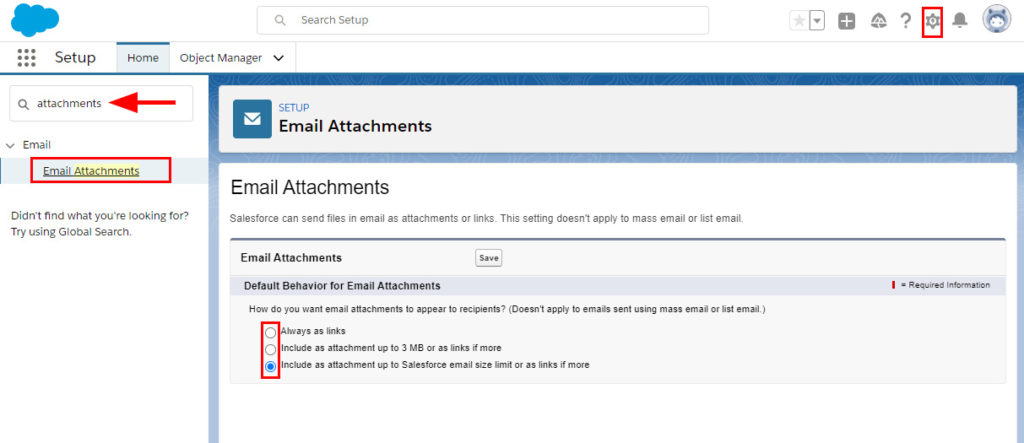
helpH2 Salesforce Users can send email out of Salesforce records, either using the Salesforce Email option or the Match My Email provided button. Both open similar email composers that allow a User to select templates, insert merge fields, make use of text formatting options, and attach files. Files that are attached to email messages can be […]
Match My Email Custom Object or Enhanced Email?
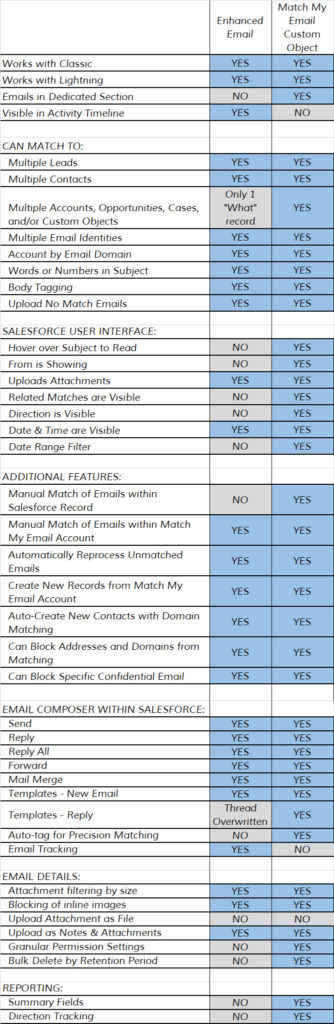
helpH2 Match My Email automatically matches email to Salesforce records, uploading the data either into the Match My Email custom object or into the Activity Timeline as an Enhanced Email object. There are differences in these two matching strategies as indicated in the below list. *MME = Match My Email Enhanced Email MME […]