
Difficulty Importing from Multiple Google Mail Accounts
helpH2 **This article refers to steps available in IMAP-authenticating accounts established prior to June 2019 in which a Google security token was used.* Match My Email users can use Google Mail Integration to establish a connection via OAuth between Google apps/gmail accounts and our app. In doing so, a security token from Google is […]
Serverdata.net (Fusemail)
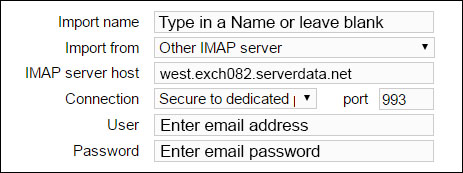
helpH2 For assistance or questions, please contact support@matchmyemail.com.
Using Salesforce Filters and Operators in Reports
helpH2 When creating custom reports in Salesforce, it is possible to use fields provided by the Match My Email managed package. Once can filter on these field values using the criteria and operators that are “standard” and already available in Salesforce. Even Users that do not install the package and upload messages as tasks or […]
HTTP error while getting salesforce features: 403 Forbidden
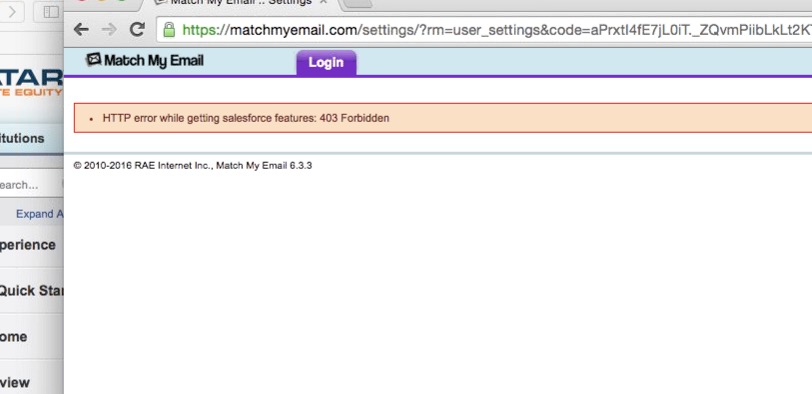
helpH2 This error code occurs while trying to signup with Match My Email service if the user does not have API calls enabled. If you visit the User’s Profile details, the option “API Enabled” is not checked. To resolve this error the Salesforce Administrator must log into the Salesforce Organization and enable “API Enabled” for […]
Roadrunner (Time Warner Cable)
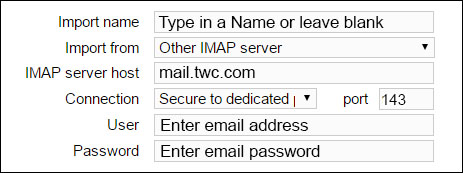
helpH2 IMAP SETTINGS DURING ACCOUNT SIGNUP IMAP SETTINGS on IMPORT TAB You can find specific information about IMAP setup with this hosting by going here. For assistance or questions, please contact support@matchmyemail.com.
App River
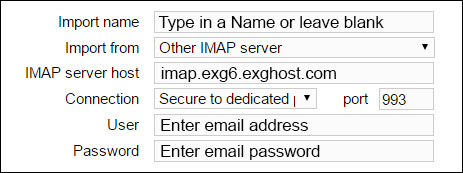
helpH2 IMAP SETTINGS DURING ACCOUNT SIGNUP IMAP SETTINGS on IMPORT TAB You can find specific information about IMAP settings in the App River knowledge base by going here. For assistance or questions, please contact support@matchmyemail.com.