
4.23. Alert Settings
MME will send email alerts to Users and Admins when connectivity is broken either for Salesforce or for email & calendar importing. Since periodic issues can occur with outages or maintenance cycles, the app will continue to try and make a successful connection for four (4) hours. If, after that amount of time, it is not successful in completing processing cycles for the User or connections to Salesforce, alert messages will be sent via email. (Alerts are also visible on the MME Control Panel Dashboard or on individual imports.)
The alert language will be descriptive to the kind of error occurring and include an Alert Reference #. It will be emailed as directed by Alert Settings and User permission settings. The Import Name saved during import activation will be indicated along with the email address in question.
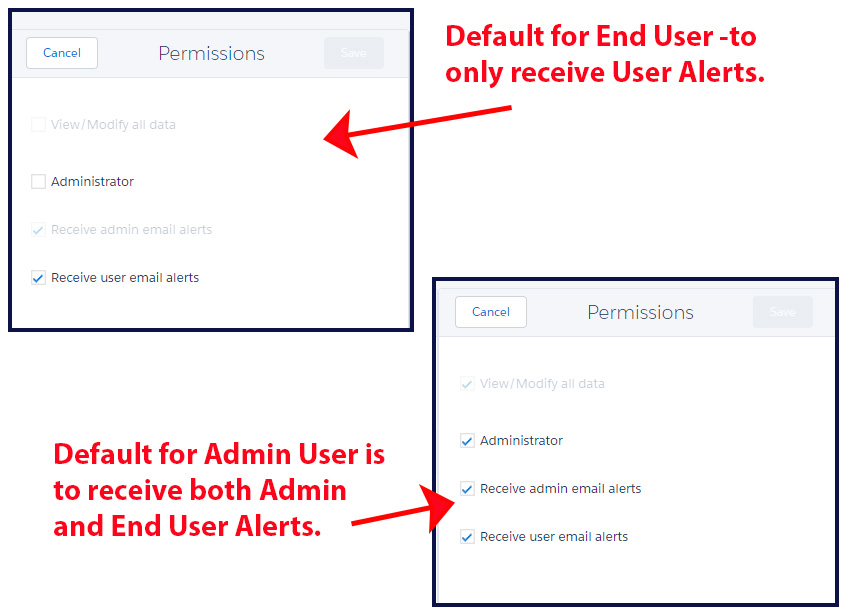
By default, Users that are active will have Receive User Email Alerts enabled. If you do not want End Users to receive alerts about their own connections, you can uncheck this option for each active User in their Permissions section. Any User that is a System Administrator in Salesforce is automatically an Admin in Match My Email and will have these settings checked by default as shown in the below screenshot. This means they will receive alert emails when there is a break in connection for themselves or for an End User. (MME Administrative Users will also see the full Admin menu and can activate/deactivate Users, add Ignores, and adjust Matching Rules.)
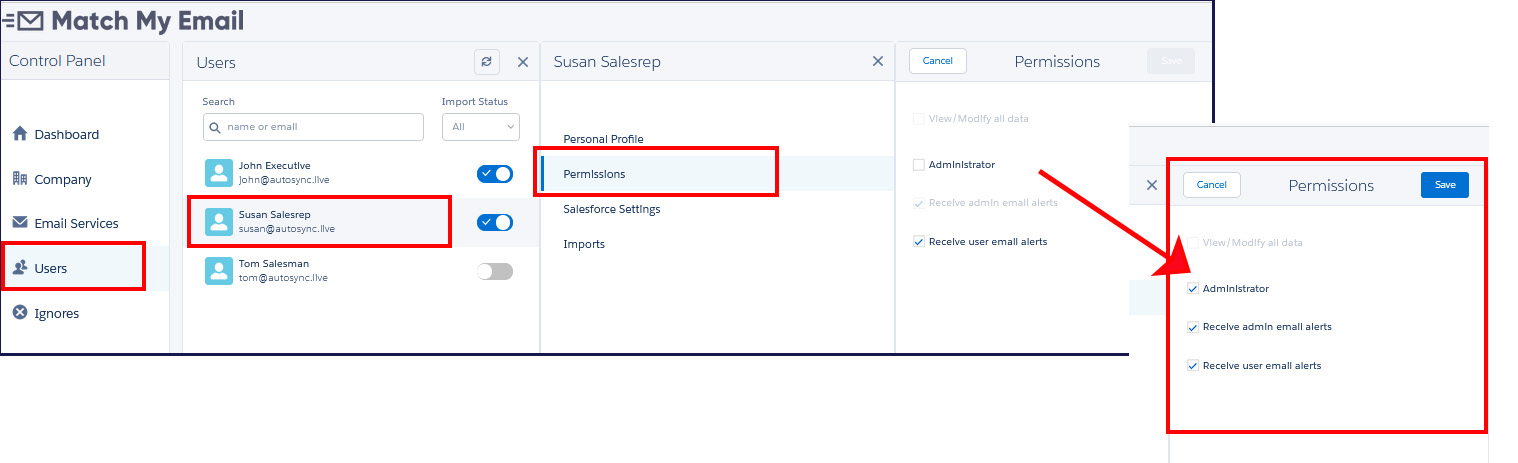
In some cases, it might be desirable to have an End User in Salesforce help with management of the MME account. For this reason, it is possible to make such as User and Administrator only within MME. This grants them administrative permissions only within the MME Account.
The Alert Settings menu item will show a list of all Users that have MME Administrative permissions. Therefore, this list is comprised of those Users that are Salesforce System Administrators as well as Users that have been granted MME Administrator permissions. It is then possible to select or de-select which MME Administrative Users will receive alerts for account-wide connection issues. In some cases, organizations may have many System Administrators in Salesforce but would rather have a limited number of them receiving alerts pertaining to Match My Email.
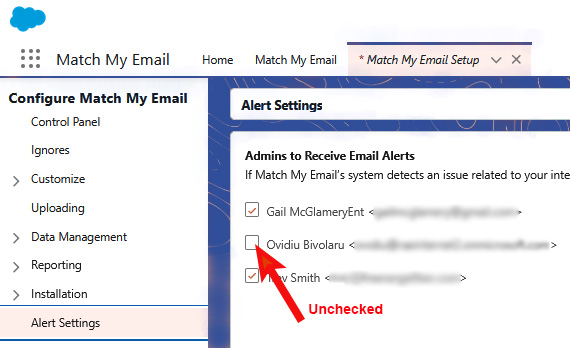
Please note that our best practice recommendation is to have at least one Admin User receiving alert messages.